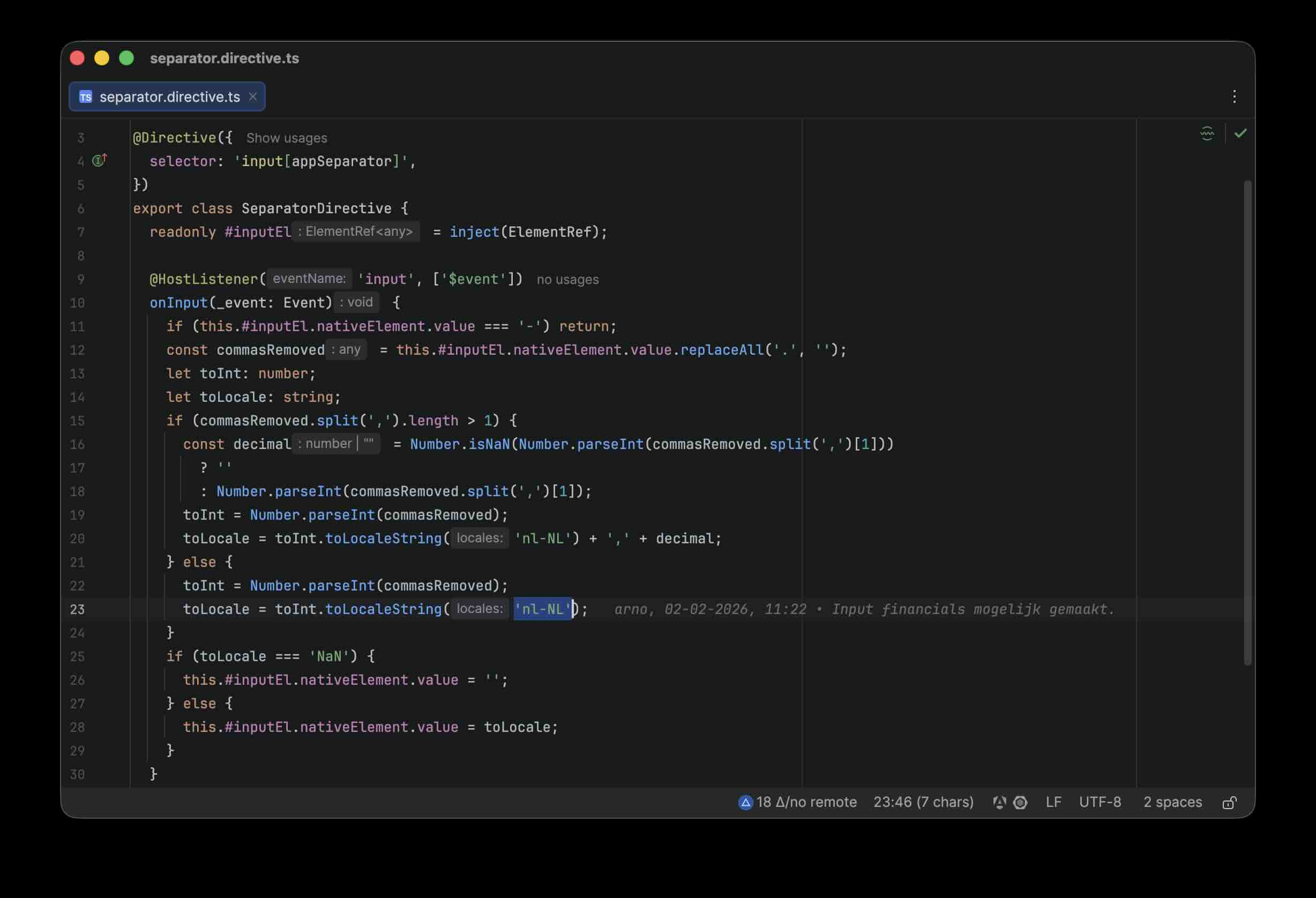
Separator directive
Problem
Reading larger numbers in an application can sometimes be difficult when thousand separators are not used, such
as 1234567 instead of 1.234.567. Angular provides a solution for displaying numbers with the numeric pipe. This
adds thousand separators in the display. For input, however, this is not possible.
Still, users are often used to input behavior like in spreadsheets, where thousand separators are applied automatically, even while entering values.
Requirements
Numbers in an input field in the application must be shown with thousand separators so the user can read the value easily. The value must also be validatable.
At the same time, the value must remain numeric so validation remains possible.
Architecture Choices
The solution is implemented as an Angular directive instead of as component logic. This keeps the formatting logic
reusable and decoupled from the exchange-rate calculation itself. Via @HostListener('input'), the directive
responds directly to input, and via ElementRef, the current value of the input element is updated.
Locale formatting is done with toLocaleString('nl-NL'), centrally enforcing the Dutch dot notation for thousands.
In a production environment, the locale could also be made configurable to match the user’s location.
Alternatives
One alternative was to implement the formatting separately in each form component. However, that would cause duplication and make the components less clear.
Another option was an Angular pipe, but pipes are mainly suitable for display and less suitable for live input mutation.
An external mask library was also possible, but for this limited use case that would add extra dependencies and configuration.
Why This Solution
This directive is small, focused, and easy to reuse. Take a look at the GitHub repository or try the project yourself on StackBlitz.